The problem
The design-to-code handoff has always been structurally difficult. Design and engineering occupy two separate systems trying to stay synchronized. Better tooling manages the symptom. Tokens, Storybook, and component documentation make communication clearer, but they don't address the cause: the output of design and the output of engineering are still two separate artifacts. Keeping them aligned takes constant effort that chips away at fidelity over time.
I'd spent years watching teams fight this with stricter documentation, more detailed specs, automated snapshots. None of it stopped the drift. The problem wasn't clarity or communication. It was that design and engineering were working from different sources of truth, and that difference was baked into the system.
The insight
What shifted my thinking was a simple question: what if design started from the same foundation engineers already use, rather than asking engineers to adopt a design-centric platform? Production teams build with open-source component libraries. They have codebases, dependencies, version control. They're not leaving that for a visual builder.
Shadcn/ui is already in thousands of production codebases, designed as a starting point rather than a destination. Grounding the design system there meant design and engineering could begin from the same structural foundation. Not the same tool: the same underlying component architecture. That distinction mattered more than I expected.
Key decisions
Ground the design system in shadcn/ui, not a separate design tool
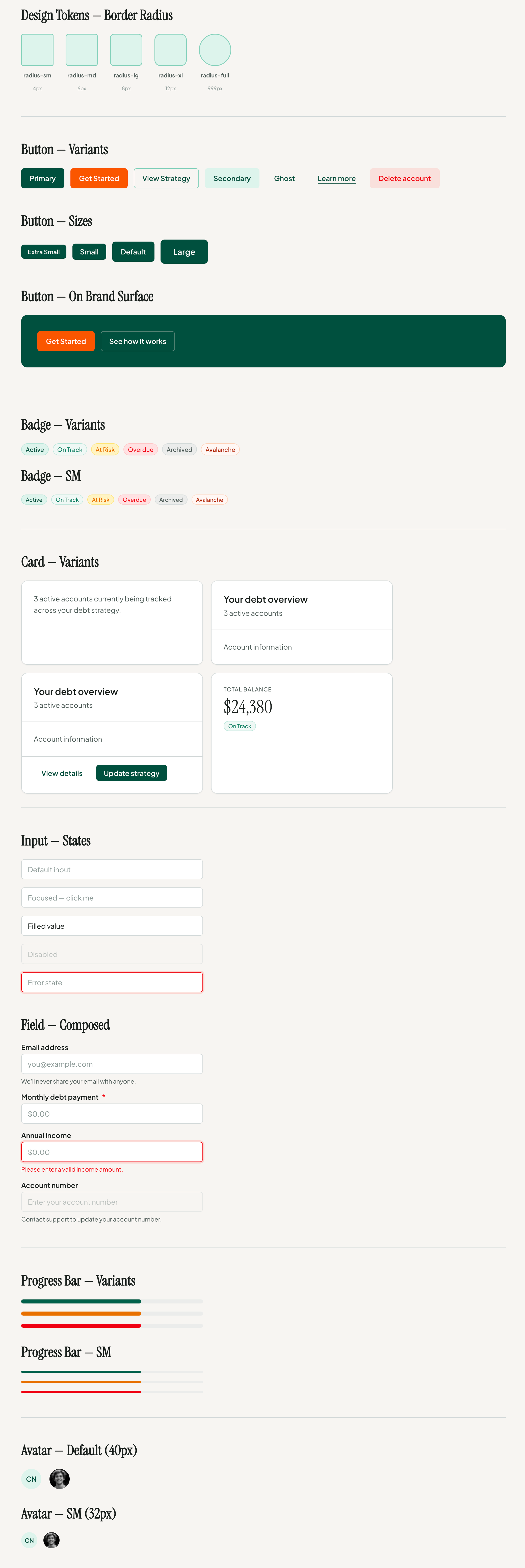
The traditional model: build the system in Figma, then ask engineers to implement it. Instead, I let the design system emerge from the component architecture engineers already ship. That architecture is shared rather than re-derived: what a button is, what states it has, how its variants compose. When I design a button, it's not a Figma interpretation of a button; it's the same component engineers ship, expressed twice from one structure.
The tradeoffSome component behavior is set by shadcn's base structure and can't be redesigned from scratch. What I gain is one definition of each component that both sides work from, while brand, sizing, type, spacing, and states all remain fully mine.
Use Claude as a collaborator on demand, not a replacement for design
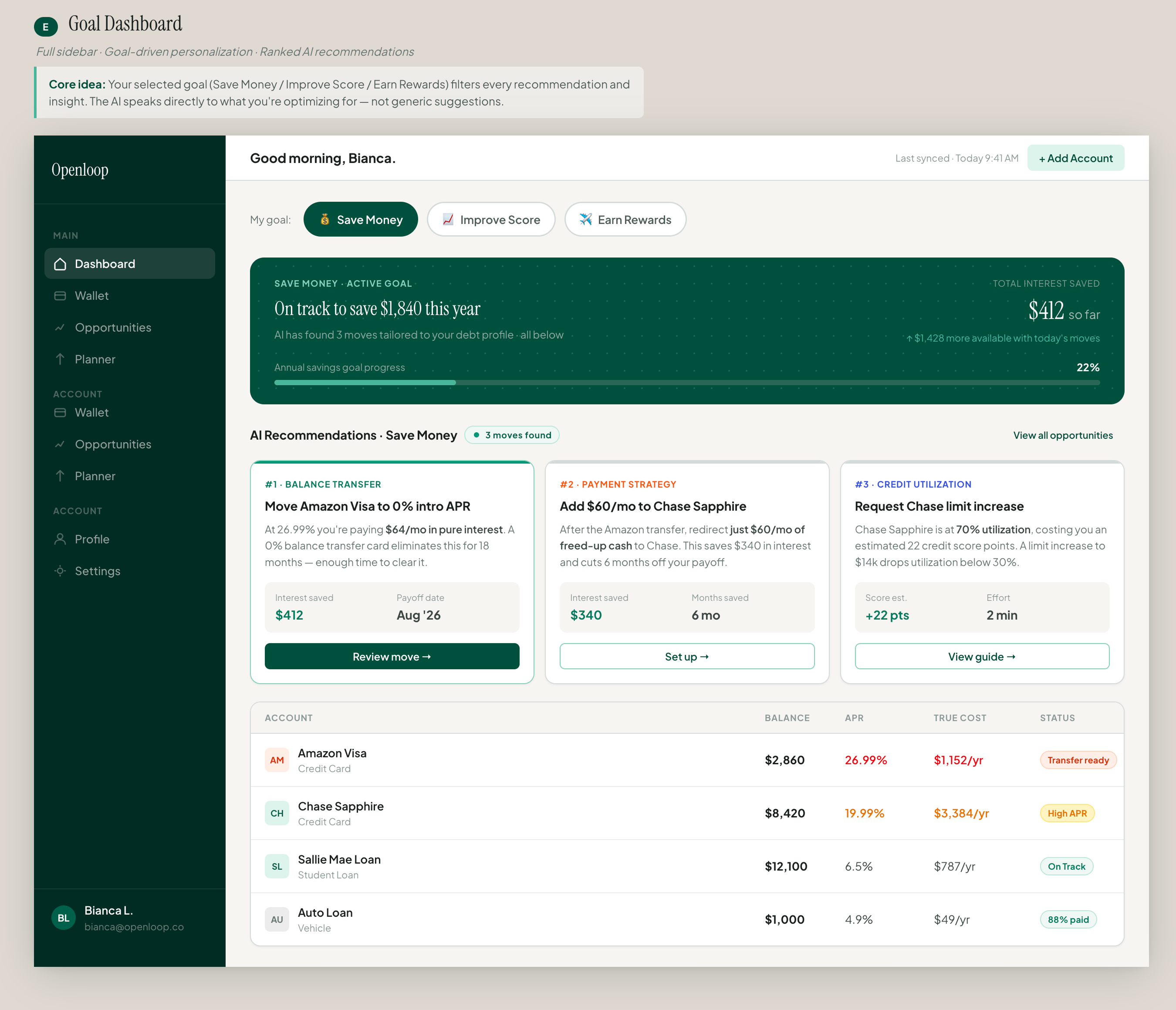
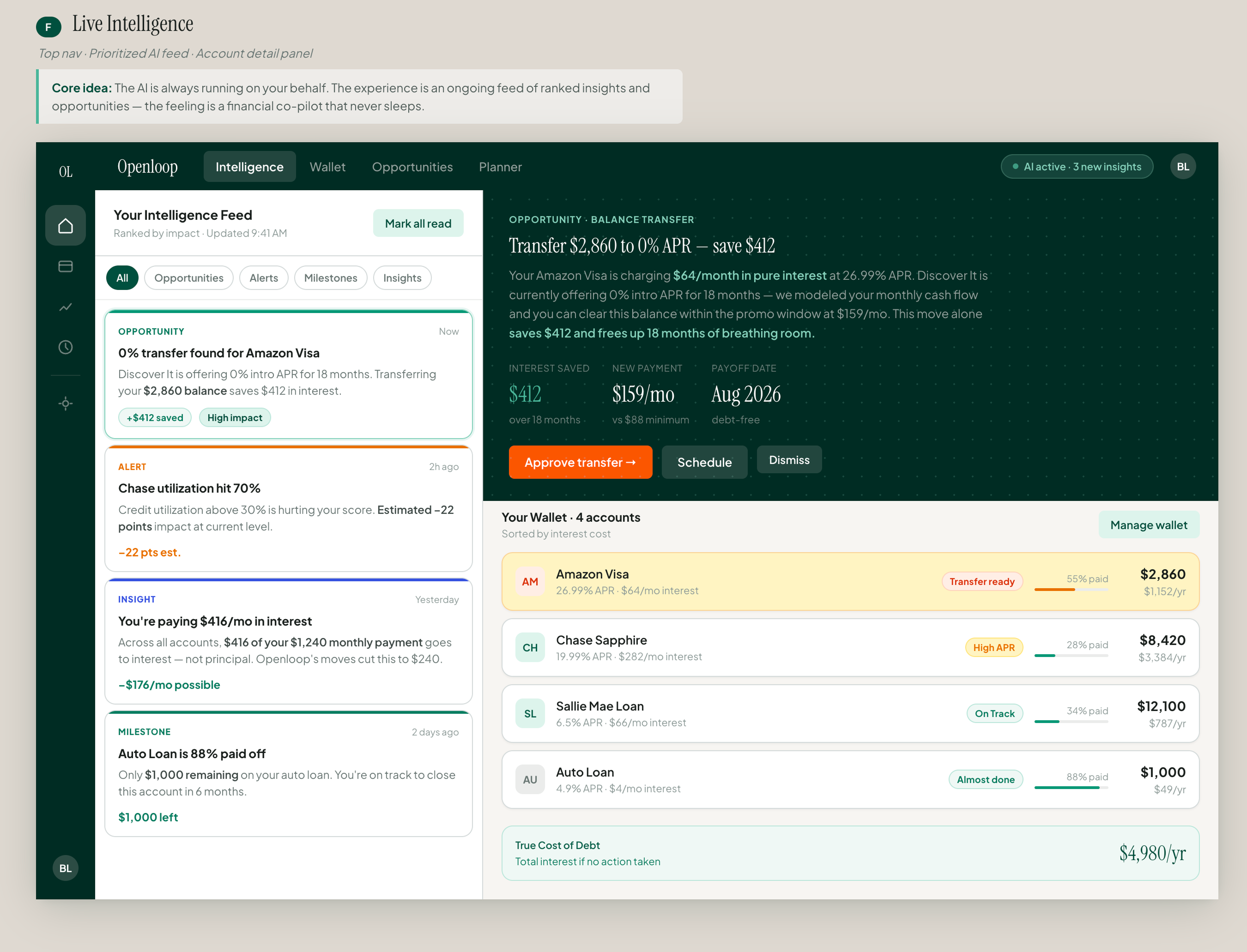
I love design and problem-solving; I take pride in pixel-perfect, tight work. This workflow doesn't replace the design process. It supercharges it. The exploratory divergence you normally get from a workshop (days of coordination, the right people in a room) Claude delivers on demand: competitive research, inspiration pulls, and six exploratory hi-fidelity directions with the intent behind each one. In minutes.
What I do next is where the collaboration lives: I review, direct, and adjust, and I change the designs myself. Because outputs arrive design-system-compliant, I start at 50% or more instead of lo-fi sketches. Claude handles the mechanical side of exploration. I keep judgment, strategy, and craft.
"Kick out 3 options for me to review. But before you do any design, scrape the internet and analyze what competitors and competitor-adjacent companies are doing. Review some of the most beautiful dashboard designs. Then when you're ready to create those layouts, give me the intent behind each design option."
My actual prompt: research first, intent required, judgment reserved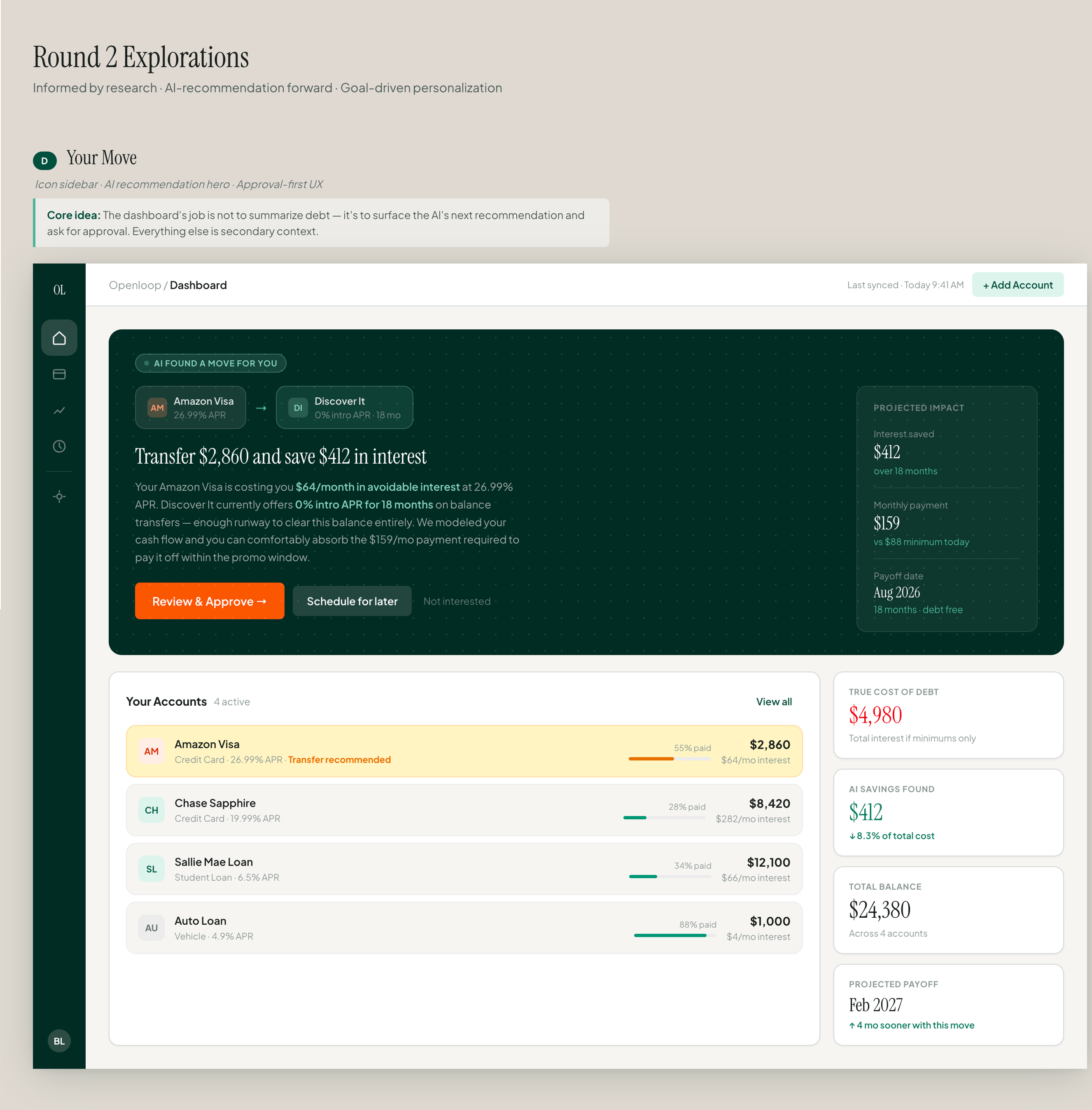
Plan for bidirectional Figma while the landscape was still shifting
When I connected the official Figma MCP, I hit a wall fast: it could read my styles, tokens, and components and generate code with structural fidelity, but it couldn't write back to the canvas. So I went hunting for a third-party route to write access, found one, and was working out the implementation when Figma shipped it officially (the use_figma tool, March 2026), about a week before I would have wired it myself.
Why it mattersIt validated the direction I was anticipating. The loop is no longer read-only by default: design intent and code output can now feed each other directly.
The solution
The workflow starts with intent, not pixels. I describe what the product (a pre-launch personal-finance dashboard where I lead design) needs to accomplish: the jobs the user is completing, the mental model they bring. Claude researches what's working elsewhere, then returns six fully realized layout directions: Figma components, token-driven styling, and the design logic explained. I shortlist the three strongest, direct adjustments, and refine one.
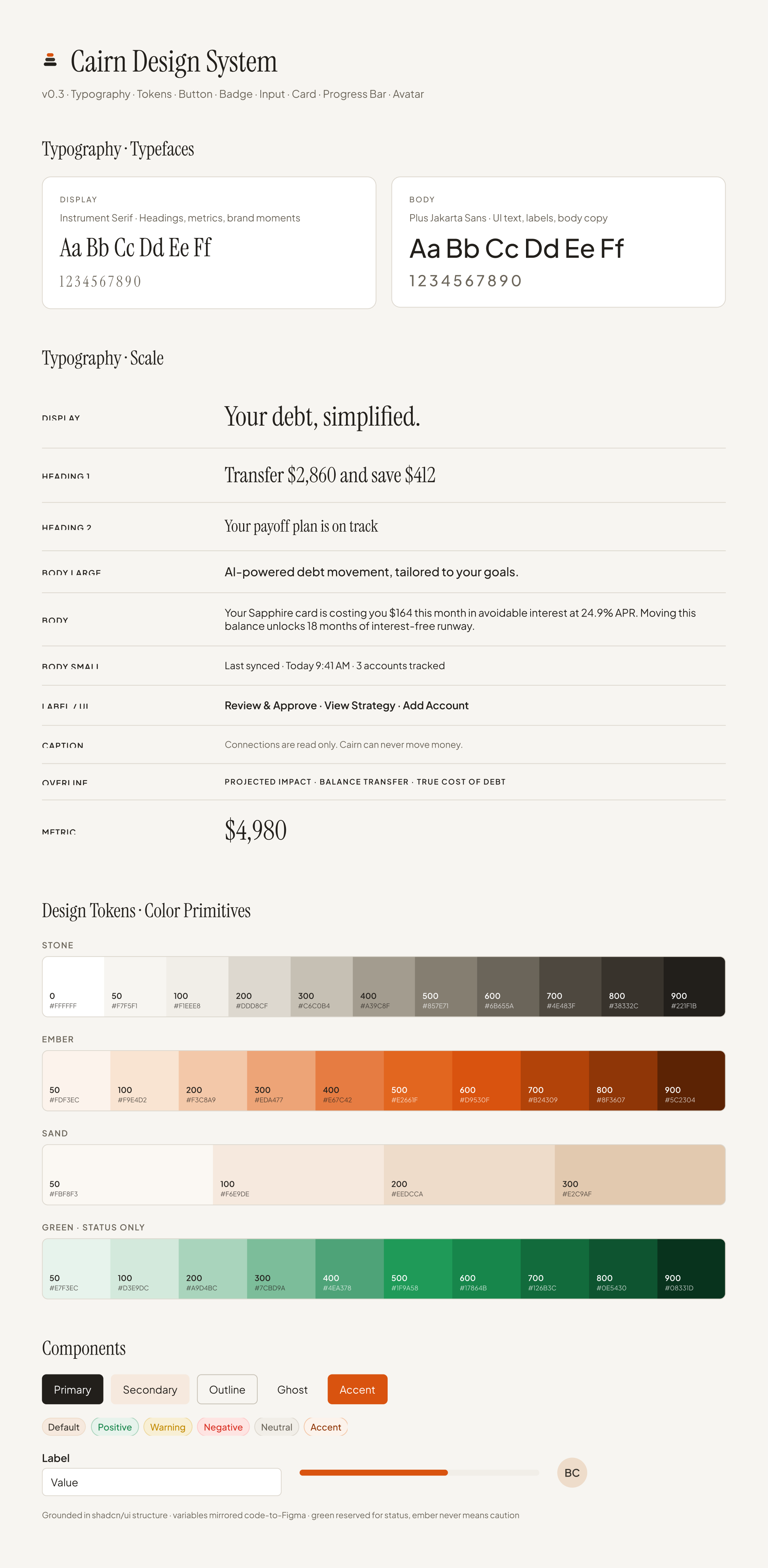
The alignment comes in three tiers, and they aren't equal. The component architecture is shared: one definition, in the code, that both sides work from. The tokens are mirrored: colors, spacing, and type live as variables in code and again as variables in Figma, joined by a thin mapping. And the Figma library is a projection: when a component changes in code, something still has to update its Figma counterpart, and since March that is increasingly an agent doing it on request.
What's gone is the hand-carried translation of structure. What remains is a small sync I can see and check, and the essay covers the two places where even that leaks.
The outcomes
The deeper outcome is that design and code are no longer ships passing in the night. Structure starts aligned, so the effort that used to go into carrying it across by hand goes to the two places that still need a person: checking that tokens are actually connected, and deciding the behavior no library can hold. That changes what I can ask design to do.
What I took from this
Tools shape what's possible to think. When design and code share a structure, you optimize for alignment early instead of patching misalignment late.
The collaboration works best when AI handles what's genuinely mechanical and I handle what requires judgment, and the foundation you choose often determines more about the outcome than the skill applied on top of it.
I wrote a full field report on this experiment, including the two tests I ran on my own system and the places where the argument breaks: Designing at the Seam, the essay.